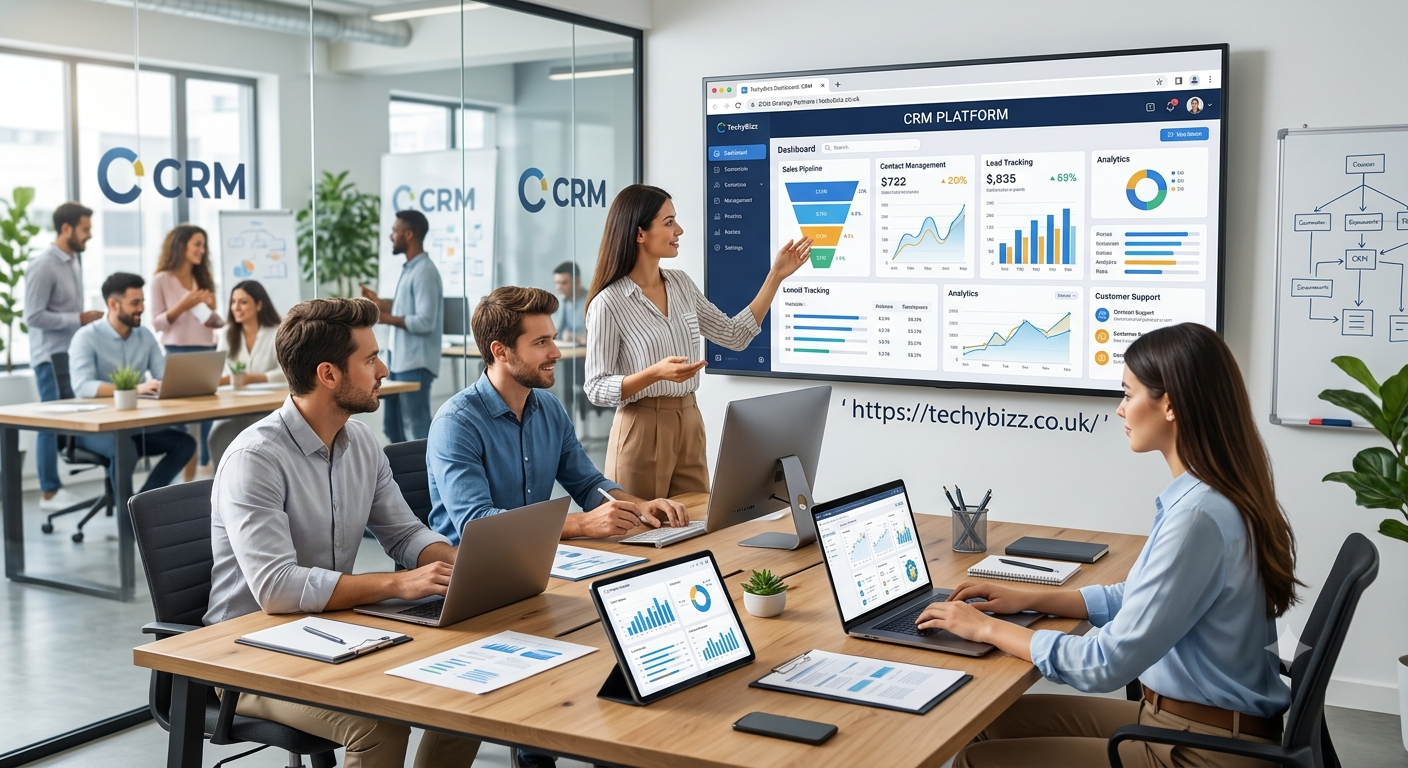
In today’s competitive business environment, building strong customer relationships is essential for long-term success. Businesses need to understand their customers, manage sales activities, respond to inquiries, and provide excellent customer service. This is where CRM (Customer Relationship Management) becomes important. If you have ever wondered what is CRM, it refers to a combination of strategies, processes, and software that helps businesses manage their interactions with current and potential customers.
CRM systems allow companies to store customer information, track communication, organize sales opportunities, and improve marketing activities in one central location. Instead of keeping customer details in separate spreadsheets, emails, or notebooks, businesses can use a CRM platform to manage information more efficiently. From small businesses and startups to large international companies, CRM tools support better organization and more informed decision-making.
Understanding CRM is useful for business owners, sales professionals, marketers, customer support teams, and anyone interested in modern business technology. This guide explains what CRM means, how it works, its main features, its benefits, common types, and how to choose the right system for your business.
What Is CRM?
CRM stands for Customer Relationship Management. It describes how a business manages its relationships and interactions with customers and potential customers. The term can refer to the overall business strategy as well as the software used to support that strategy.
A CRM system collects and organizes important customer information, including names, contact details, purchase history, communication records, preferences, and sales opportunities. Authorized employees can access this information to understand customer needs and provide more relevant services.
For example, imagine a company receives inquiries from 100 potential customers every month. Without a CRM system, employees might struggle to remember who contacted the company, which products they were interested in, and when follow-ups are required. A CRM platform records these details and helps the sales team manage each opportunity.
CRM is not limited to selling products. It can also help businesses improve customer support, manage marketing campaigns, maintain customer loyalty, and identify opportunities for future growth. Its main purpose is to help businesses build stronger relationships by keeping customer information organized and making interactions more consistent.
How Does CRM Work?
A CRM system works by bringing customer-related information and activities together in one platform. When someone contacts a business, submits a form, makes a purchase, or communicates with a sales representative, relevant details can be recorded in the CRM.
The exact process depends on the software and its integrations, but most CRM systems follow a similar workflow.
First, the business collects customer information through channels such as websites, email, telephone calls, social media, or in-person interactions. The CRM stores these details in customer profiles so employees can review the available history.
Second, employees use the information to manage customer relationships. Sales representatives can track leads, schedule meetings, record conversations, and set reminders for follow-up activities. Marketing teams may use customer segments to send relevant messages, while customer support representatives can review previous complaints or requests.
Third, managers can use reports and dashboards to evaluate performance. They may review the number of new leads, sales conversion rates, customer response times, or revenue generated during a particular period.
For instance, if a customer requests a product demonstration, the CRM can record the inquiry, assign it to a sales representative, and schedule a follow-up. This organized process reduces the risk of missed opportunities and helps employees provide a more professional experience.
Main Features of CRM Software
Modern CRM platforms include different features depending on their purpose, pricing, and target audience. However, several capabilities are common across many systems.
- Contact management: Stores customer names, email addresses, phone numbers, company details, and interaction histories.
- Lead management: Helps businesses identify, organize, qualify, and follow up with potential customers.
- Sales pipeline management: Tracks opportunities through stages such as initial contact, qualification, proposal, negotiation, and closing.
- Task and reminder management: Helps employees schedule calls, meetings, emails, and follow-up activities.
- Marketing automation: Supports activities such as email campaigns, audience segmentation, and automated customer journeys.
- Customer service management: Organizes support requests, customer complaints, and service histories.
- Reporting and analytics: Provides insights into sales performance, customer engagement, and business trends.
- Integration capabilities: Connects CRM software with tools such as email platforms, calendars, accounting systems, and online stores.
Not every CRM offers all these features. Some platforms focus mainly on sales, while others provide broader marketing and customer service capabilities. Businesses should compare features carefully before choosing a solution.
Different Types of CRM Systems
CRM software is available in several forms. Each type focuses on specific business needs, so understanding the differences can help organizations select the right solution.
Operational CRM
Operational CRM focuses on automating and improving everyday business activities. It supports sales, marketing, and customer service processes. For example, a business can use operational CRM to assign leads to sales representatives, schedule follow-up emails, and manage customer support requests.
This type is especially useful for businesses that want to reduce repetitive work and create consistent customer experiences.
Analytical CRM
Analytical CRM focuses on collecting and analyzing customer data. It helps businesses identify buying patterns, measure customer behavior, and understand which marketing activities produce results.
For example, an online retailer might analyze purchasing history to identify popular products or determine which customers are likely to make repeat purchases. These insights can support better marketing and sales decisions.
Collaborative CRM
Collaborative CRM helps different departments share customer information. Sales, marketing, and customer service teams can access relevant records to maintain a consistent understanding of customer needs.
For example, when a customer contacts support about a product, a sales representative may be able to review the interaction history before discussing a renewal or another purchase. Access depends on the company’s permissions and system configuration.
Benefits of Using CRM for Businesses
CRM software can provide several advantages when implemented correctly. Its value depends on how effectively a company organizes its data, trains employees, and incorporates the system into daily operations.
Improved customer relationships: Employees can review previous conversations, preferences, and customer concerns. This information helps them provide more personalized and informed assistance.
Better sales organization: Sales teams can monitor opportunities, identify pending follow-ups, and understand where each prospect stands in the purchasing process.
Increased productivity: Automation can reduce repetitive administrative tasks, allowing employees to spend more time on customer communication and other valuable activities.
More effective marketing: Businesses can organize customers into relevant groups and create campaigns based on their interests, behavior, or previous purchases.
Improved customer retention: By tracking service requests and customer interactions, businesses can identify unresolved issues and opportunities to strengthen existing relationships.
Data-driven decisions: Reports and dashboards help managers evaluate performance and identify areas that may need improvement.
However, CRM software does not automatically guarantee higher sales or customer satisfaction. Results depend on data quality, employee adoption, suitable processes, and the overall customer experience.
Examples of Popular CRM Software
Several CRM platforms serve businesses of different sizes and industries. The best option depends on budget, required features, existing software, and business goals.
- Salesforce: Offers extensive sales, service, marketing, and customization capabilities for organizations with varied requirements.
- HubSpot CRM: Provides contact management and sales tools, with additional marketing and service features available across its product offerings.
- Zoho CRM: Supports sales automation, workflow management, reporting, and integrations for businesses of different sizes.
- Pipedrive: Focuses on visual sales pipeline management and organizing sales activities.
- NetHunt CRM: Integrates customer relationship management into Gmail and supports lead management, sales workflows, and customer records.
These platforms differ in pricing, complexity, integrations, and available features. Some are suitable for businesses seeking straightforward sales tracking, while others offer extensive customization and advanced reporting.
Before selecting a platform, compare its current pricing, free-plan limitations, user requirements, data security controls, and compatibility with your existing tools.
How to Choose the Right CRM System
Choosing a CRM system requires understanding your business requirements rather than simply selecting the platform with the most features.
Start by identifying your primary goal. A small business may need basic contact management and follow-up reminders, while a larger organization may require advanced reporting, workflow automation, and integration across several departments.
Next, consider ease of use. A complicated system can discourage employees from entering accurate information. Look for an interface that matches your team’s technical experience and daily workflow.
Budget is another important factor. Compare subscription fees, implementation expenses, training costs, and charges for additional users or advanced features. A low-cost plan may be sufficient for a small team, but growing businesses should consider future requirements.
You should also review integration options. If your company relies on email, accounting software, online stores, or customer support tools, the CRM should work effectively with those systems.
Finally, examine security and privacy features. Check user permissions, authentication options, backup arrangements, data export capabilities, and relevant privacy requirements. Test a free trial or demonstration before making a final decision.
Common CRM Challenges and Mistakes
Although CRM systems offer many benefits, businesses can encounter problems during implementation and everyday use.
One common mistake is choosing software without defining clear objectives. Without specific goals, employees may collect unnecessary information or struggle to understand how the CRM supports their work.
Poor data quality is another challenge. Duplicate contacts, outdated phone numbers, and incomplete customer profiles can reduce the reliability of reports and create confusion. Regular data cleaning and clear data-entry rules help address these problems.
Some businesses also underestimate the importance of employee training. Even a powerful CRM system will deliver limited value if employees do not understand how to use it properly.
Another issue is excessive automation. Automated emails and reminders can improve efficiency, but poorly designed workflows may send irrelevant messages or create frustrating customer experiences.
To avoid these problems, establish clear processes, assign responsibility for data management, provide training, and review performance regularly. Introduce the system gradually when necessary and collect feedback from employees who use it every day.
Is CRM Important for Small Businesses?
Yes, CRM can be valuable for small businesses because it helps organize customer relationships without relying entirely on manual records.
A small consultancy, marketing agency, online store, or local service provider can use CRM software to record inquiries, schedule follow-ups, track quotations, and maintain customer histories.
For example, a digital marketing agency may receive inquiries from several potential clients each week. A CRM system can help the agency record each inquiry, monitor proposals, and identify which prospects require additional communication.
Small businesses do not necessarily need expensive enterprise software. A simple CRM with contact management, task reminders, and basic reporting may be enough to begin with.
The important consideration is selecting a system that solves real problems and can grow alongside the business.
Frequently Asked Questions About CRM
What does CRM stand for?
CRM stands for Customer Relationship Management. It refers to the strategies, processes, and software businesses use to manage interactions with current and potential customers.
What is CRM used for?
CRM is used to organize customer information, manage leads, track sales opportunities, support marketing activities, improve customer service, and monitor business performance.
Is CRM software free?
Some CRM platforms offer free plans with limited features or user allowances. Advanced automation, reporting, customization, and larger team requirements may require a paid subscription.
What is the difference between CRM and ERP?
CRM primarily focuses on customer relationships, sales, marketing, and customer service. ERP, or Enterprise Resource Planning, focuses on managing broader internal business operations, such as finance, inventory, procurement, and production. Some organizations integrate both systems.
Who should use CRM software?
Sales teams, marketers, customer support professionals, freelancers, small business owners, and large organizations can benefit from CRM software when they need to manage customer information and interactions efficiently.
Conclusion
Understanding what is CRM helps explain why customer relationship management has become an important part of modern business operations. CRM combines customer-focused strategies with technology to organize information, manage sales opportunities, support marketing, and improve customer service.
The right CRM system can help businesses save time, maintain better records, strengthen customer relationships, and make more informed decisions. However, successful implementation requires clear goals, reliable data, appropriate employee training, and regular evaluation.
Whether you operate a small business or manage a large organization, choosing a CRM platform that matches your needs can create a stronger foundation for sustainable growth. The most effective CRM is not necessarily the most expensive or complex one; it is the system your team can use consistently to deliver better customer experiences.