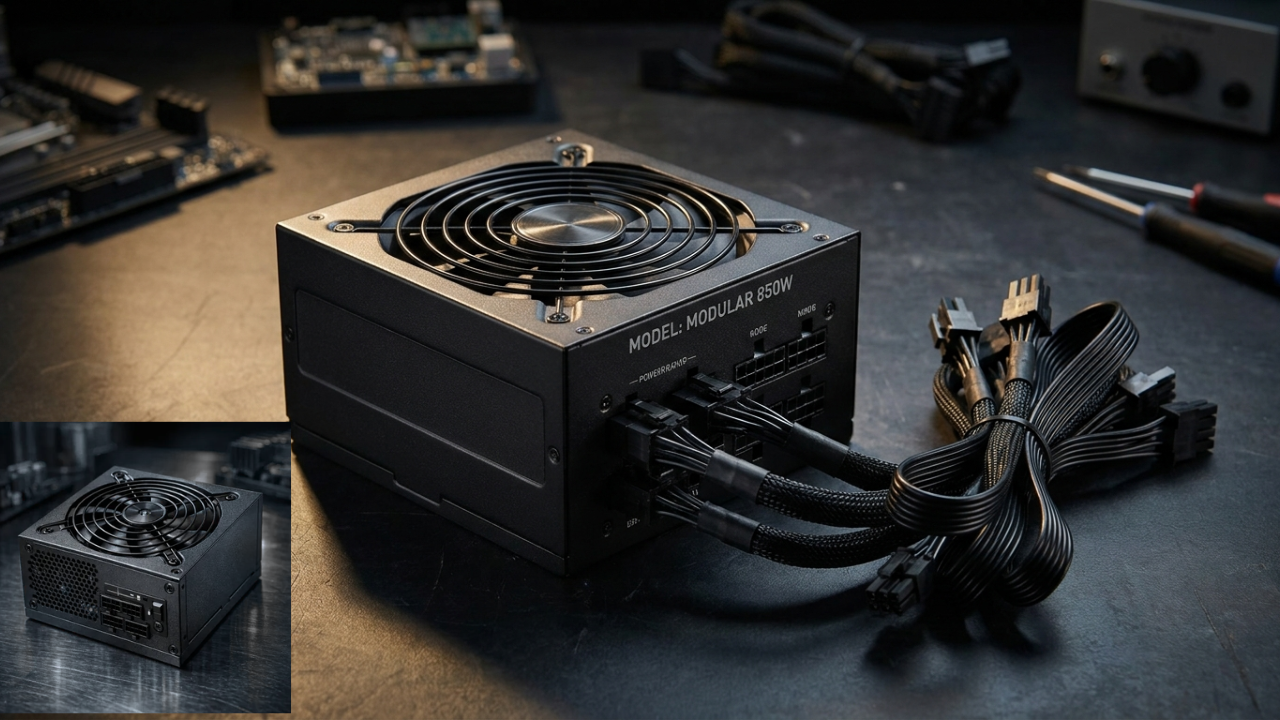
What Is a PSU and What Does It Do?
A PSU, short for Power Supply Unit, is a critical component of a desktop computer that converts electricity from a wall outlet into the appropriate power needed by the PC’s internal components. It supplies power to essential hardware such as the motherboard, processor, graphics card, storage drives, cooling fans, and other connected devices. A good PSU helps provide stable and consistent power, while the correct capacity ensures that the computer has enough energy to operate properly under normal and demanding workloads. Although it is often overlooked compared with components such as the CPU or GPU, the PSU plays a fundamental role in the overall reliability, stability, and safe operation of a computer.
Why a PSU Is Important for a Computer
A PSU is important because every major component in a computer depends on it for consistent electrical power. The processor and graphics card can draw significant amounts of power, particularly during gaming, video editing, rendering, or other demanding workloads. If the power supply cannot provide enough power, the system may experience crashes, unexpected shutdowns, freezing, or difficulty starting. A suitable PSU also needs to provide the correct connectors for the motherboard, graphics card, storage devices, and other hardware, making compatibility an important part of a reliable PC build.
The quality of a PSU can also influence the long-term reliability of a computer. A well-designed unit includes electrical protection features intended to help protect hardware from problems such as excessive current, excessive voltage, or short circuits. This does not mean a PSU can prevent every hardware failure, but using a reputable model with appropriate specifications reduces avoidable power-related risks. For this reason, choosing a PSU should be treated as an important part of building or upgrading a computer rather than simply selecting the cheapest unit with a high wattage number.
How a PSU Works Inside a PC
A PSU works by taking alternating current (AC) electricity from a household outlet and converting it into the direct current (DC) voltages required by computer hardware. Inside the unit, electronic circuits regulate the incoming electricity and distribute suitable power through different cables and connectors. The motherboard, CPU, graphics card, storage devices, fans, and other components then receive the power they need to operate. Modern PSUs are designed to maintain stable output even when the computer’s power demand changes, such as when a graphics card suddenly becomes heavily loaded during gaming or other demanding tasks.
Choosing the Right PSU Wattage
Choosing the correct PSU wattage starts with estimating how much power the computer’s components are likely to consume. The graphics card and processor are usually the biggest factors, but storage drives, cooling fans, memory, USB devices, and other hardware also contribute to total consumption. A PSU should have enough capacity to handle the system’s normal power requirements without constantly operating at its maximum rating. For example, a computer with a mid-range graphics card may need considerably less power than a high-end gaming or workstation PC, so the ideal wattage depends on the complete hardware configuration rather than the processor alone.
It is also sensible to leave some power headroom when selecting a PSU. Having additional capacity can help accommodate temporary increases in power demand and future upgrades, such as installing a more powerful graphics card or additional drives. However, choosing an unnecessarily oversized PSU does not automatically make a computer better. The goal is to select a quality unit with sufficient wattage, appropriate connectors, strong protection features, and a suitable efficiency rating. Checking the manufacturer’s recommended power requirements for the graphics card and considering the specifications of every major component can help users make a more informed decision.
PSU Efficiency and 80 PLUS Ratings
PSU efficiency describes how effectively a power supply converts electricity from the wall into usable power for a computer. Some energy is naturally lost as heat during this conversion, so a more efficient PSU wastes less electricity under suitable operating conditions. The 80 PLUS system is commonly used to indicate efficiency performance at specified loads, with higher certification levels representing stricter efficiency requirements. Efficiency is important because a more efficient unit can generate less wasted heat and may help reduce electricity consumption over time, although the actual efficiency of a PSU varies according to its load and operating conditions.
Modular vs Non-Modular PSU Designs
Modular PSUs allow users to connect only the power cables they actually need. This can make PC building easier because unused cables do not have to be tucked inside the case. A fully modular PSU lets users detach all of its power cables, while a semi-modular design keeps some essential cables permanently attached. This approach can improve cable management, airflow around components, and the overall appearance of a finished computer, particularly in cases with limited space.
A non-modular PSU has all of its cables permanently attached to the unit. Although this can result in more unused cables inside the case, it is often a straightforward and practical choice for users who do not need extensive cable-management flexibility. Modular designs can be especially useful for custom gaming PCs and systems that may be upgraded over time, while non-modular models can work well for simpler builds. Regardless of the design, the PSU’s quality, wattage, connectors, and electrical protections remain more important than modularity alone.
Common PSU Problems and Warning Signs
A failing PSU can cause a range of problems, including random shutdowns, unexpected restarts, system instability, difficulty powering on, or crashes during demanding tasks. In some cases, unusual electrical noises, excessive heat, or a burning smell may also indicate a serious problem that should not be ignored. These symptoms can have other causes, so they do not automatically prove that the PSU is faulty. However, when several issues appear together—especially after upgrading a graphics card or other power-hungry component—the power supply should be checked as part of the troubleshooting process.
How to Choose a Reliable PSU
When choosing a PSU, buyers should look beyond the wattage printed on the box. Important factors include the unit’s build quality, efficiency, available connectors, electrical protection features, warranty, and suitability for the computer’s components. It is wise to select a model from a reputable manufacturer and check independent testing where available. The PSU should also provide enough capacity for the CPU and graphics card while leaving reasonable room for other components and potential upgrades. A reliable unit may cost more than a basic model, but the additional investment can be worthwhile for a computer that is expected to operate consistently for several years.
Another important consideration is compatibility. Before purchasing a PSU, users should check the connectors required by their motherboard, graphics card, storage devices, and other hardware. Modern systems can have substantially different power requirements, particularly when using high-performance GPUs. Buyers should also consider the physical size of the PSU and whether its cables are suitable for the computer case. By comparing specifications carefully instead of choosing solely on price or wattage, users can select a PSU that provides an appropriate balance of capacity, efficiency, connectivity, and reliability.
Conclusion
A PSU is a fundamental part of any computer because it converts and distributes electrical power to the system’s essential components. Selecting the right unit involves more than checking wattage; users should also consider efficiency, connectors, protection features, physical compatibility, and overall build quality. A properly chosen PSU can provide stable power for demanding workloads while supporting future upgrades. Understanding these factors makes it easier to build or upgrade a computer with a dependable power foundation.
FAQs
1. What does PSU stand for?
PSU stands for Power Supply Unit, the component that converts electricity from an outlet into usable power for a computer.
2. How many watts should a PSU have?
The required wattage depends on the computer’s CPU, graphics card, drives, fans, and other components. A suitable PSU should provide enough power with reasonable headroom.
3. Is a higher-wattage PSU better?
Not necessarily. The best PSU is one with appropriate wattage, good efficiency, reliable construction, suitable connectors, and adequate protection features for the system.
4. What happens if a PSU is too weak?
An underpowered PSU can contribute to system crashes, unexpected shutdowns, instability, or failure to start, particularly when the computer is under heavy load.